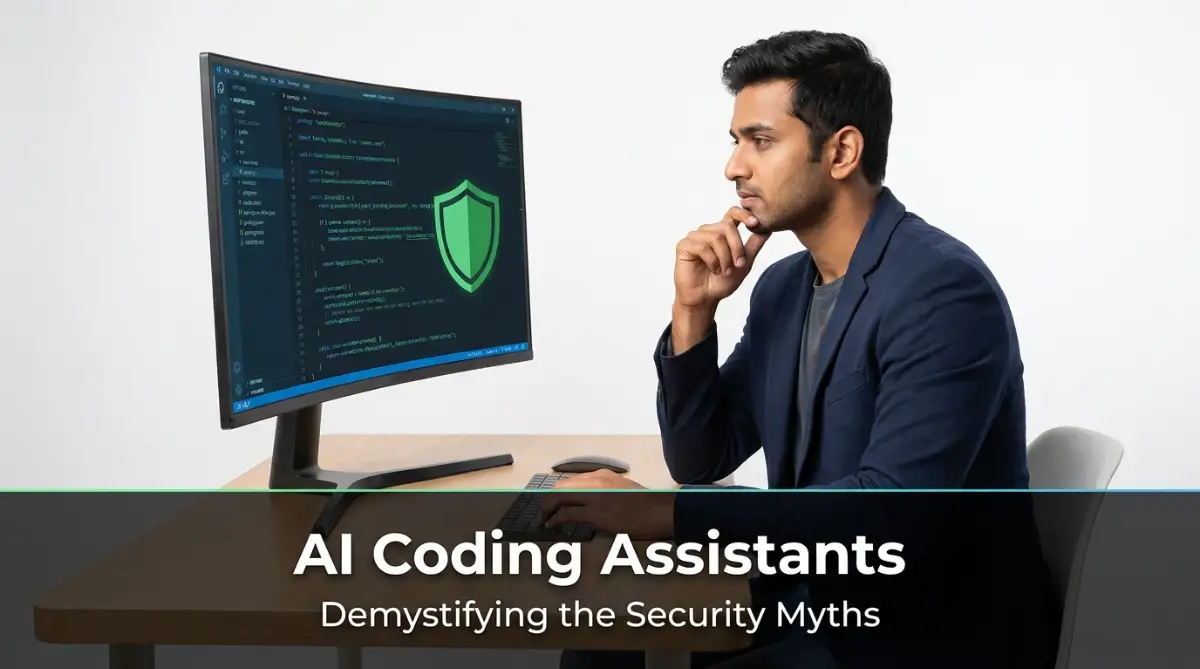
The Midnight Debugging Nightmare: How Code Assistants Cause Dev Anxiety
I still remember the cold sweat I felt when my website crashed because I blindly copied an AI-generated script. My client was extremely angry, and I spent an entire weekend fixing a silly security hole that a robot created. It taught me the hard way that saving a few minutes upfront can cost you your total peace of mind later.
Imagine staring at your monitor at two in the morning. The glowing white text on your terminal reveals an active security exploit on a system you shipped just yesterday. Your heart sinks as you realize the automated coding helper you trusted wrote that exact vulnerable query.
You spent days building this application for your client. To save time and meet a tough delivery deadline, you let an automated system generate the backend database logic. It seemed to work beautifully during your brief local tests, so you pushed it live.
Now, active users are online, and their private data is exposed. The panic is real, and the weight of responsibility feels incredibly heavy on your shoulders. Your reputation as a reliable engineer is suddenly on the line because of a silent error.
This is not a rare scenario in the modern era. Thousands of software developers are dealing with this exact silent anxiety daily. We are losing our peace of mind because we trust automated code generators without running independent validation.
How did we get here? We wanted to build systems faster, but we ended up creating fresh risks that are incredibly hard to spot. This constant worry about hidden vulnerabilities is taking away our passion for building software.
Fortunately, you do not have to live with this constant pressure. There is a clear way to protect your work and restore your security confidence. By building a smart verification routine, you can use automated tools safely without risking your systems.

A Practical Blueprint for Verifying AI-Generated Code Safely
We need a reliable strategy to handle automated programming outputs. If we want to keep our platforms safe, we must establish concrete rules for system validation. Here are the most effective steps to secure your coding process today.
Treating Automated Helpers as Eager Junior Programmers
Think of your automated assistant as a fresh helper who wants to impress you. They have read many textbooks, but they lack actual real-world security experience. They will happily write code that looks clean but contains deep logical flaws.
Because of this, you must never assume their suggestions are production-ready. Always read through their logic with a critical, questioning eye. Ask yourself if the proposed database access method actually protects user input from malicious attacks.
This simple shift in how you think changes everything. It forces you to take full responsibility for every single line of code. You become the active editor, while the automated system remains just a basic helper.
Building a Dedicated Local Sandbox for Safe Execution
Never run automated code suggestions directly on your primary working environment. Set up a secure, isolated container on your machine first. This acts as a protective shield for your system configuration and local files.
If the generated script attempts to make unusual system calls, the sandbox stops the threat immediately. This keeps malicious loops or resource drains from destroying your active workspace. It is a simple step that saves hours of recovery time.
My biggest mistake used to be testing AI code right on my main server, which almost deleted my entire database once. Now, my best pro tip is to always use a temporary local folder to run the code first. This simple realization has saved me from countless disasters and kept my work totally safe.
Many systems occasionally recommend outdated packages with known security issues. Running them in isolation allows you to study their behavior safely. You can observe any unexpected outgoing connections without risking your company database.
Running Static Securitey Checks on Every Single Lin
An automated security scanner is your best ally in this process. Set up your code editor to run static analysis tools automatically. These tools can scan the code blocks for common security issues like bad memory allocation or weak cryptography.
This check takes less than a few seconds but offers great protection. It acts as an objective reviewer that does not get tired or distracted. When the scanner flags a suspicious line, take the time to inspect it manually.
By making this a habit, you catch silly coding mistakes before they reach your repository. It keeps your code base clean and protects your users from basic exploits. You will feel much more confident when deploying your projects.
Developing the Habit of Small Code Block Prompts
It is highly tempting to ask an assistant to build a complete software feature at once. However, large blocks of generated code are incredibly hard to audit. Instead, keep your requests small, specific, and hyper-focused.
Ask for a single validation routine or a simple API route. This allows you to verify the logic easily within a minute. It also prevents the assistant from adding unneeded packages or weird design patterns.
When you build your code block by block, you retain total control over the architecture. You understand how every component works and where the potential failure points lie. This keeps your software robust and easy to maintain.
Understanding the difference between raw trust and safe validation is key. Here is a quick comparison to help you choose the right path for your workflow.
Coding ApproachBlind Trust MethodVerified Guardrail MethodInput Handling
Trusting the assistant's default logicAdding custom validation filters manually
Database Actions Using simple concatenationEnforcing prepared parameterized queries
Secrets Protection Leaving API keys in the logicStoring keys in environmental files
External Packages Importing suggested packages blindlyVerifying code, never use real user credentials or active keys. Always generate fake data that mimics real-world scenarios. This ensures that even if the code leaks information during testing, no real damage is done.
Many engineers make the mistake of testing with active database dumps. If the generated script contains a hidden vulnerability, your live data could be exposed instantly. Using synthetic data protects your systems and keeps you compliant with privacy standards
Creating simulated environments takes only a few minutes. You can write simple scripts to generate mock names, emails, and transaction histories. This keeps your tests safe and your real data secure
Documenting Your Automated Code Reviews
Keep a simple log of the common mistakes your automated assistant makes. Over time, you will notice specific patterns in its errors. For example, it might consistently forget to sanitize inputs in specific programming languages.
Sharing this log with your development team helps everyone stay alert. It raises the collective security awareness of your entire organization. It also ensures that other developers do not repeat the same mistakes.
Writing down these observations makes you a better auditor. You learn to spot weaknesses quickly, saving time during peer reviews. It turns a potential threat into a great learning opportunity.
Analyzing How Automated Systems Predict Code
To use these helpers safely, we must understand how they generate answers. They do not understand the logic of computer science or the concept of digital safety. Instead, they use probability to predict the most likely next word in a sequence.
This means they are highly likely to suggest common code patterns found on the public internet. Unfortunately, many public repositories contain outdated practices and active bugs[2]. The system simply repeats these popular mistakes because they appear frequently in its training data.
When you realize this, you stop expecting the assistant to be a perfect expert. You understand that its primary goal is to sound helpful, not to be secure. This knowledge keeps you alert and ready to inspect every suggestion.
Why Pository Data Leads to Insecure Outputsublic Rep
Many developers upload quick draft scripts or hobby projects to public platforms. These repositories rarely follow advanced security rules because they are just for learning. Since automated helpers train on this massive pool of data, they learn these weak patterns.
They replicate insecure connection strings, raw database queries, and weak encryption methods. The system cannot distinguish between a highly secure banking system and a student's weekend project. It simply offers the most common solution based on statistical patterns[2].
As a professional, you must apply the necessary security filters yourself. You cannot rely on a statistical prediction tool to defend your user data. Understanding this limitation is the first real step toward true code safety.
Creating a Team-Wide AI Security Policy
If you work with other developers, having a clear set of rules for automated helpers is essential. Establish which tools are allowed and how generated code must be reviewed. This keeps your entire team aligned and reduces the risk of accidental leaks.
Make sure everyone understands that copy-pasting code without a review is strictly forbidden. Set up peer-review requirements where another human must check all automated additions. This creates a strong safety net that catches issues before they reach production.
Building this shared culture of safety protects your organization from unexpected vulnerabilities. It also gives junior developers a clear guideline to follow. Everyone can enjoy the speed of automation while keeping the code highly secure.
Advanced Protocols: Securing Your AI-Powered Codebase
Writing secure software with automated assistance requires more than basic checks. You need to implement advanced defensive measures at every stage of development. Let us explore the pro-level strategies that keep your software protected.
Designing Bulletproof Context Prompts for Safety
When you write instructions for your automated helper, always include specific security rules. Tell the model to avoid common pitfalls like raw queries or hardcoded API keys. This acts as a primary defense before any code is even written.
When your mind is cluttered with personal challenges, you are more likely to make technical mistakes in your prompts. If you are a student or developer dealing with high educational liabilities, taking action to break free from education debt will lift that heavy cognitive load. A clear mind directly translates to clean, secure systems.
In addition, organizing your financial responsibilities is highly similar to setting clean logic patterns. If you need a simple way to organize your bills, checking out this smart guide to student loan consolidation is a wise financial move that helps protect your future, just like setting strict system boundaries protects your databases.
Restricting Your Automation's System Access
Do not give your automated coding tools unrestricted access to your entire codebase or your server terminal. Keep their permissions to a minimum to prevent accidental system changes. This security step keeps a compromised tool from exposing your entire environment.
The official joint CISA guidelines on secure AI development emphasize secure-by-default setups as a core security requirement. By restricting what automated tools can read or write, you limit the blast radius if an exploit occurs. This is a simple but powerful way to protect your overall software environment.
Before we look at these common mistakes, watch this quick video below to see exactly how hackers exploit AI-generated code in real time, and then keep reading to learn how to block them completely.
Implementing Continuous Automated Scanning Pipelines
Integrate automated security scanners directly into your continuous integration pipeline. This ensures that every time code is pushed, it undergoes a rigorous check for known security flaws. It acts as an automatic safety net that catches errors before they ever go live.
Choose tools that look for secrets, weak permissions, and outdated packages. This ongoing check ensures your development speed does not come at the expense of system safety. It is an essential practice for modern teams using generative coding tools.
Managing Your Secrets with External Environments
Never let an automated assistant generate or handle actual system passwords or keys. Always use environmental files or dedicated secret management services to store this sensitive data. This prevents API keys from accidentally being saved in your public code repository.
Assisting systems often generate placeholder keys that look real, which can confuse junior developers. Make it a strict rule that all credentials must be loaded externally. This simple habit keeps your active production keys secure from unintended leaks.
Sanitizing Your Prompts to Prevent Information Leaks
When you ask an automated assistant for help, do not share real user data or private business logic in your prompts. Use generic terms and dummy variables to describe your issues. This prevents your company's proprietary designs from being stored in public training databases.
Many modern assistants store user queries to improve their future model predictions. If you paste sensitive data, you might accidentally expose your business logic to other users. Keeping your prompts generic is a simple step that keeps your secrets safe.

Blind Spots: Major Security Mistakes Teams Make With AI
Even with advanced tools, developers often fall into predictable traps. Recognizing these mistakes is essential if you want to keep your systems secure. Let us examine the most common errors teams make when using automated coding helpers.
Believing Code is Secure Just Because It Runs
A script that runs without errors is not necessarily safe. Automated helpers often write code that performs beautifully but contains massive security vulnerabilities. Attackers actively look for these hidden openings because they are so easy to exploit.
For example, an assistant might build a clean login form that works perfectly. However, if it lacks protection against cross-site scripting, hackers can easily steal your users' session tokens. Never confuse operational success with system security.
Funding a new software tool might require external backing. If you are applying for funding, knowing why having a co-signer is your best move to get a low-interest personal loan is incredibly helpful for software developers trying to grow their startups without taking on massive debt.
Keep in mind that fixing mistakes in your system architecture is like repairing a damaged financial score. If you find errors holding you back, taking immediate steps to clean up mistakes on your credit report is key to restoring your security, both online and in your personal budget.
Skipping Manual Code Reviews for Small Edits
It is easy to skip human review when the automated change is only a single line. However, a tiny typo in your access control settings can compromise your entire system database. Every change, no matter how small, deserves a thorough human check.
According to the official OWASP Top 10 LLM risks list, improper output handling and excessive agency are among the leading issues in automated systems today[5]. When you let an assistant make changes without oversight, you risk exposing your systems to these exact flaws. Make human review an absolute requirement for every update.
Ignoring Third-Party Package Hallucinations
Sometimes, automated assistants suggest using non-existent packages to solve a problem. Attackers can monitor common assistant hallucinations and register those exact names with malicious payloads. If you install these packages without checking, you install malware directly into your server.
Always verify that the libraries suggested by your automated tools are genuine and actively maintained. Check their download rates and community reviews before adding them to your project files. This simple check protects your software supply chain from massive risks
Overlooking Licensing and Compliance Rules
Automated generators sometimes copy code snippets from open-source repositories with strict licensing rules. If you use these snippets in commercial software, you could face serious legal issues. Your team might be forced to open-source private proprietary code as a result.
Set up automated scanning tools that check for license compliance during development. This ensures that you do not accidentally use restricted code in your production applications. It protects your business from expensive legal battles.
Trusting Automated AI Logic for Access Control
Access control requires a deep understanding of business logic and human roles. Automated systems cannot understand who should have permission to view sensitive data. Letting an assistant design your permission system often results in wide-open access patterns.
Always design your authentication and authorization systems manually. Use well-established, pre-verified framework libraries to handle user sessions. Leave automated helpers out of your core identity management architecture.
Taking the Lead: Your Next Steps Toward Secure Code Generation
To sum up, automated tools can make you a highly productive engineer, but they must be used with care. By combining the speed of automation with strict human reviews, you build software that is both fast and incredibly safe. You do not have to choose between speed and safety when you have a strong validation system in place.
Start by implementing these basic checks in your daily routine. Treat every line of automated code as a suggestion, not a final solution. As you build these habits, your confidence will grow, and your systems will remain safe.
The future of software development belongs to those who write smart code while maintaining high security standards. Take charge of your development pipeline today and protect your hard work. Your users, your team, and your peace of mind will thank you.
Looking back at my own journey, taking control of my code security completely changed how confident I feel at work. You do not have to be afraid of using automated tools, just promise yourself to review them properly starting today. Trust me, making this small change will make coding fun and stress-free again!
Disclaimer: The information provided in this article is for educational and informational purposes only. We do not offer professional financial or legal advice. Please consult with certified security experts or financial advisors before making any major technical or financial decisions.