The Hidden Struggle of Bringing Your Imagination to Life
I remember sitting at my desk late at night, staring at a blank screen with tears in my eyes because I just could not draw the ideas trapped in my head. For years, my lack of traditional art skills held me back from launching my own blog, making me feel like a complete failure. It was incredibly painful to watch others share their beautiful work while my big ideas stayed locked away in my notebooks.
Have you ever closed your eyes and imagined a breathtaking scene, only to feel deeply disappointed when you try to draw it? This is a highly common feeling for many creative thinkers today. You have amazing concepts in your mind, but your hands simply cannot put them onto a blank canvas.
This gap between your imagination and your actual technical skill can feel incredibly frustrating. You want to create beautiful graphics for your personal projects, your social media, or your business. However, learning traditional painting or complex graphic design software takes thousands of hours of intense practice. Most normal people simply do not have that kind of free time to spare.
Because of this steep learning curve, many people search for quick fixes online. Unfortunately, they often stumble upon outdated advice or extremely complicated technical tutorials. This overload of bad information leaves them feeling completely overwhelmed. Instead of feeling inspired, they end up feeling like they are just not creative enough.
- You waste hours staring at a blank screen, not knowing where to click or how to begin your design process.
- You spend money on expensive stock photos, but they never truly match the unique vision you had in your head.
- You get confused by robotic tutorials, which use heavy tech jargon instead of simple, easy-to-understand language.
- You feel left behind while watching other people easily publish stunning visuals on the internet.
This constant creative block heavily damages your daily mental peace. When you repeatedly fail to express your ideas, your overall self-confidence takes a massive hit. You start doubting your own creative worth.
- Your motivation completely disappears, making you abandon projects you were once deeply excited about.
- You feel an intense sense of creative jealousy when viewing other successful artists' work online.
- Your stress levels rise because you cannot finish your presentations or websites due to a lack of good images.
I want you to know that this struggle is entirely normal, and it is not your fault. The traditional way of creating art was built for people who could dedicate their entire lives to studying it. But modern technology has completely changed the rules of the game.
Today, powerful artificial intelligence tools have leveled the playing field for everyone. You no longer need to be a master painter to create a masterpiece. By understanding how to communicate properly with computers, you can turn your exact thoughts into highly polished visuals in just a few seconds.
According to major tech publications like Forbes' insights on artificial intelligence, the ability to generate media from simple text instructions is transforming how we all work. People from all backgrounds are finally taking back their creative freedom. I am going to show you exactly how to do this for yourself.
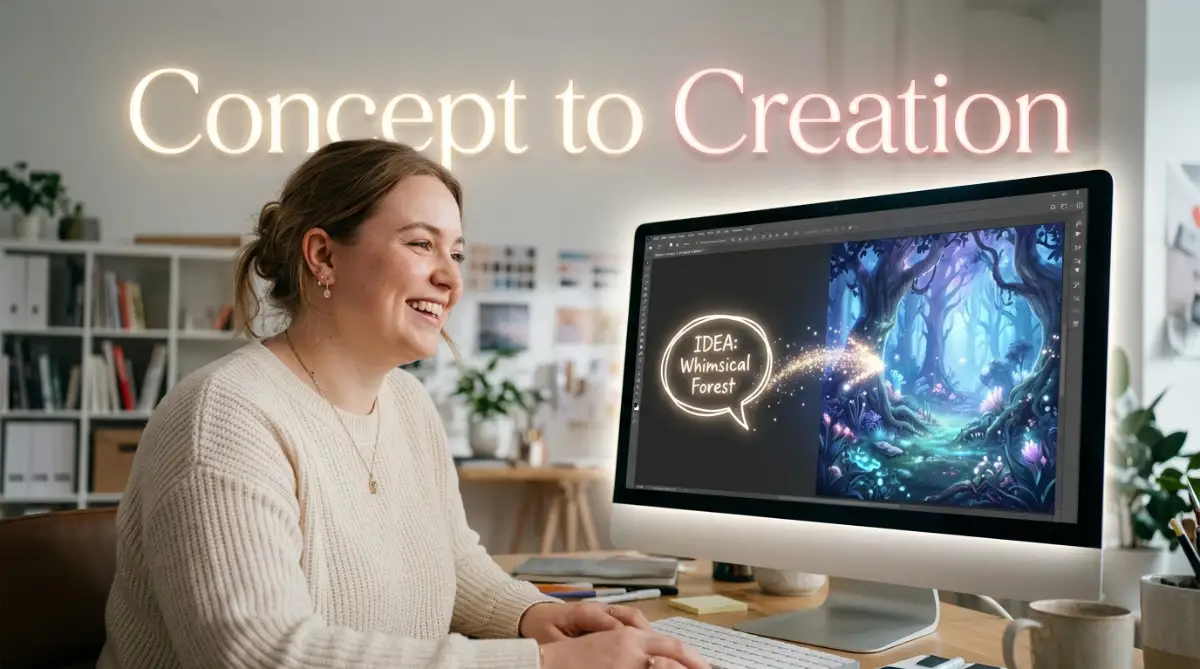
Mastering the Basics: Your First Steps to Visual Magic
To truly get the best results from these intelligent tools, you must treat them like a highly skilled but literal-minded artist. If you give vague instructions, you will get messy and confusing results. But if you learn the correct way to communicate, the outcomes will absolutely blow your mind.
Below, I have organized the most important, practical steps you must follow. These methods are tested, proven, and backed by thousands of successful digital creators. If you apply these steps today, your final images will immediately look professional.
Choosing the Perfect AI Companion for Your Needs
Before you start typing anything, you need to pick the right platform. Not all intelligent drawing tools are built the same way. Some are excellent at making things look exactly like real life, while others are incredibly good at making dreamy, painted styles.
For absolute beginners, I highly recommend starting with tools that have a very simple chat box interface. You just type in a sentence, and the system instantly gives you four different options to look at. Platforms like Midjourney or DALL-E 3 are universally loved because they understand normal human sentences very well. According to TechRadar's reviews on top software, choosing a user-friendly platform is the biggest key to avoiding early frustration.
If you want absolute control over every tiny detail, there are open-source options you can install directly onto your own computer. These require a bit more technical knowledge, but they allow you to change specific poses or lighting perfectly. Think about what you actually need. Do you want quick, beautiful results, or do you want deep, exact control over the final file?
Start with the easiest web-based options first. Open up an account, find the text input box, and simply get comfortable with the layout. Do not worry about producing a masterpiece on your very first try. Your main goal right now is just to understand where the buttons are and how long the generation process takes.
Writing Prompts Like a Professional Director
Watch the quick video below to see exactly how I write winning text instructions in real time, and then keep reading to learn my secret formula for perfect camera angles!
The secret to amazing digital art is not the software; it is the text prompt you write. A prompt is simply the set of instructions you give the computer. Most beginners make the mistake of writing extremely short, boring sentences.
If you type "a dog in a park," the computer has to guess the weather, the type of dog, the camera angle, and the art style. Because it is guessing, the result will usually look very generic and cheap. You need to stop thinking like a casual user and start thinking like a Hollywood movie director.
Always start your instruction by clearly stating the main subject. Are you creating a robot, a futuristic city, or a magical forest? Next, define the exact environment around your subject. Is it raining, sunny, or highly foggy?
Lighting is the most powerful element you can add to your text prompt. Adding words like "cinematic lighting," "golden hour," or "soft studio lights" will instantly make your image look incredibly expensive. Lighting changes the entire mood of the picture from flat to highly dramatic.
Finally, tell the system exactly what visual style you want. Do you want it to look like a 35mm photograph, an oil painting, or a 3D cartoon? A professional prompt looks like this: "A fluffy golden retriever playing in a highly detailed sunny park, When I first started using these tools, my biggest mistake was writing instructions that were way too short, which always gave me ugly and confusing pictures. I quickly realized that treating the computer like a blind artist who needs every single detail explained completely changed the game for me. Always over-explain your lighting and background in the text box if you want a truly professional result.soft morning golden hour lighting, shot on a 35mm lens, photorealistic."
When you give the computer this level of exact detail, it no longer has to guess. It simply follows your clear commands and produces exactly what you imagined.
The Art of Testing and Refining Your Ideas
No one gets the perfect picture on their very first try. Even the most highly paid professionals have to generate multiple versions before they find the winner. This process of trying again and again is perfectly normal.
When you get your first set of four pictures, look at them very closely. Pick the one that is closest to your original idea. Most platforms have a button that allows you to create "variations" of that specific picture. Clicking this will give you four new images that look highly similar to your favorite one, but with slight, interesting differences.
If the image looks good but a specific detail is wrong, simply adjust your text instruction. If the colors are too dark, add the words "bright, vibrant colors" to your next prompt. If the background is too messy, add the words "clean, minimal, blurred background."
You are essentially having a deep conversation with the machine. You ask for something, it gives you a draft, and you gently guide it toward the final polished version. This requires a little bit of patience.
I strongly encourage you to keep a personal notebook of the exact text commands that worked well for you. When you find a combination of lighting and style words that looks gorgeous, save it. You can reuse that exact same combination later for completely different subjects. This builds your own personal recipe book for consistent success.
Part 2: Moving from Beginner to Advanced Creator
Now that you understand the basic mechanics, it is time to step up your game. Creating one good picture is easy, but consistently generating amazing portfolios requires a deeper understanding of the system's hidden features.
This section will cover the expert-level secrets that separate amateur hobbyists from true professional creators. By mastering these advanced rules, you will gain total control over your final artwork. As you expand your skills, you might want to automate your workflow. I highly recommend checking out some top free AI tools that save hours of work to speed up your creative process.
Controlling the Final Shape and Camera Angles
One of the biggest limitations beginners face is generating images in the wrong shape. By default, most systems will give you a perfectly square box. While squares are great for social media profiles, they are completely useless if you need a wide banner for a website or a tall image for a phone screen.
You need to learn how to change the "Aspect Ratio" of your canvas. In advanced tools, you can type special commands at the very end of your text prompt to force the computer to change the dimensions. For example, typing "--ar 16:9" tells the system to make a wide, cinematic rectangle, just like your television screen.
Controlling the camera angle is equally important. If you never mention a camera angle, the computer will always give you a boring, eye-level shot. To make your work highly dynamic, use specific photography terms in your instructions.
- Use words like "extreme close up" if you want to capture the deep emotion in a character's eyes.
- Use words like "drone shot" or "bird's-eye view" if you want to show a massive, sprawling city from high above.
- Use words like "low angle shot" to make your main subject look incredibly powerful and tall.
By simply adding these camera terms, your digital art goes from looking like a flat drawing to a highly professional, big-budget production.
The Secret Power of Telling the Machine What NOT to Do
This is perhaps the most heavily guarded secret in the digital art community. Sometimes, the best way to get what you want is to clearly explain what you absolutely hate. This technique is known as using "Negative Prompts."
When a system generates an image, it often tries to add extra, unnecessary details that ruin the whole vibe. Maybe you want a clean, quiet street, but the computer keeps putting messy trash cans and ugly parked cars everywhere. Instead of endlessly trying to change your main instruction, you simply tell the computer what to ignore.
You can add a special negative text section where you type words like "ugly, blurry, messy, text, watermarks, distorted." The machine will actively block those specific elements from ever appearing on your screen.
Using negative instructions is essentially putting guardrails on the computer's imagination. It keeps the machine heavily focused on the beautiful parts of your idea. If you ever notice that your generated faces have weird eyes or extra fingers, adding words like "bad anatomy" or "extra limbs" to your negative list will instantly fix the problem.
Building Consistency for Larger Projects
If you are writing a children's book or designing a branded presentation, you need all your images to look like they belong to the same exact universe. You cannot have one picture that looks like a cartoon and the next one looking like a real photo.
To maintain strict consistency, you must lock in your core style words. If you discover a beautiful style by typing "watercolor illustration, soft pastel colors, dreamy mood," you must carefully copy and paste that exact phrase into every single new prompt you write.
Some advanced software even allows you to use a "Seed Number." Every picture generated by a computer has a hidden, unique identification number attached to it. If you copy that specific number and paste it into your next prompt, the computer will try to copy the exact same artistic style and layout.
If you plan to turn your new art hobby into a full-time studio business, you might need better hardware. Sometimes creators look into safe financial options to fund a high-end graphic design PC. If you ever need to borrow with confidence through unsecured bank loans, make sure to understand all the exact terms before heavily investing in new gear.
The Biggest Pitfalls You Must Completely Avoid
Even highly smart people make easily avoidable errors when they first discover this technology. If you are not careful, you can waste a massive amount of time and get completely frustrated. Here are the biggest errors you must actively avoid.
1. Overloading Your Text with Too Many Words
Many people think that writing a massive, two-page essay will give them better results. This is completely false. When you give the system too many conflicting words, it gets totally confused and blends everything into a muddy mess. Keep your instructions clear, sharp, and highly specific.
2. Copying Other People's Prompts Without Changing Anything
It is highly recommended to look at what other successful artists are doing. However, blindly copying their exact text without adding your own unique twist is a huge mistake. You will never learn how the system actually thinks if you just press copy and paste all day. Always change the subject, the colors, or the lighting to make the artwork entirely your own.
3. Ignoring the Importance of High-Resolution Upscaling
When the machine first gives you an image, it is usually quite small in file size. If you try to print that tiny image on a large poster, it will look incredibly blurry and pixelated. You must always remember to use the built-in "Upscale" buttons to make your final chosen image large and highly crisp before you save it to your hard drive.
4. Forgetting About the Ethical Side of Creation
As a modern creator, you must respect the broader artistic community. Do not forcefully use the exact names of living, independent artists in your text prompts to copy their direct style. Instead, focus on using general art movements like "impressionism," "cyberpunk," or "minimalism." This keeps your work original and highly respectful of hard-working human painters. Managing a creative business properly means being smart and ethical. Knowing how to borrow money without collateral or handling business assets correctly is just as important as being a good, ethical creator.
5. Giving Up When the First Result Looks Terrible
The most common error is simply quitting too early. The machine is not a mind reader. If your first picture looks completely wrong, do not get angry. Simply treat it as a rough draft. Look at what went wrong, easily adjust your descriptive words, and hit the generate button again. Persistence is the only true key to amazing results.
Your Next Steps Toward Creative Mastery
You now hold the exact blueprint needed to turn your wildest thoughts into stunning visual reality. The massive barrier between having a great idea and actually seeing it on screen has been completely removed. You no longer need to feel held back by a lack of traditional drawing skills.
Every single highly successful creator started exactly where you are right now. They stared at a blank text box, felt a little bit nervous, and typed their very first sentence. The only difference between them and you is that they kept practicing, adjusting, and learning from their tiny mistakes.
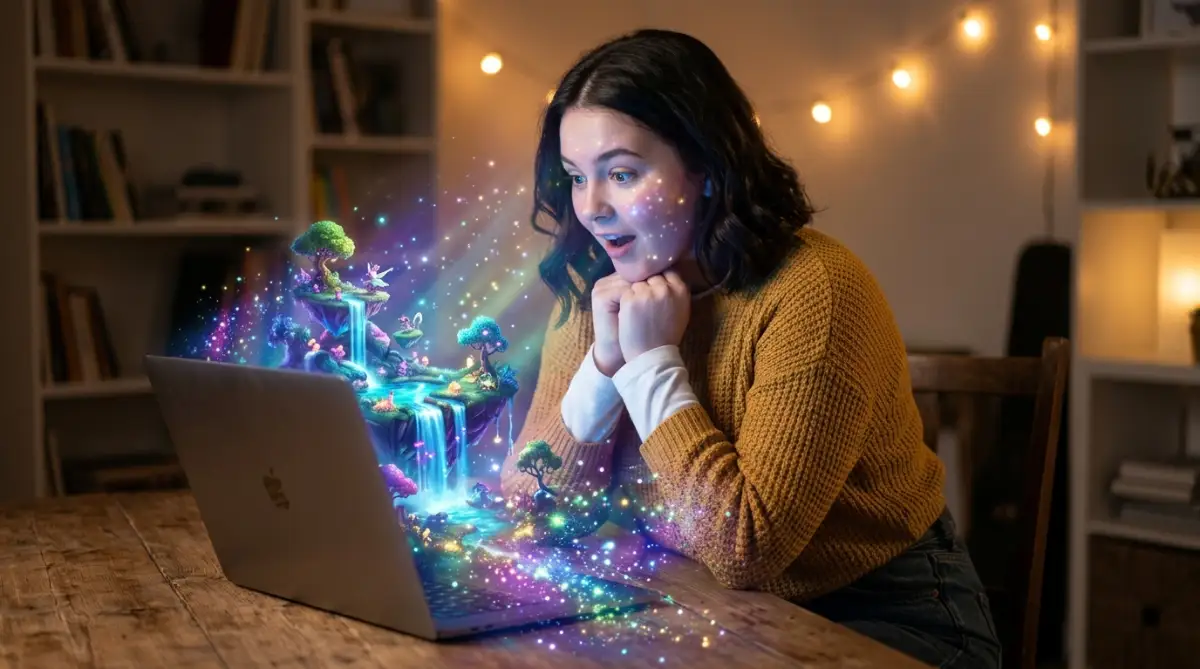
I strongly challenge you to open up one of these amazing tools today. Do not wait for the perfect moment. Think of a simple, beautiful concept right now. Type out your subject, add some gorgeous lighting terms, pick a fun art style, and press that magical generate button.
Finding this amazing technology completely changed my life, turning my daily frustration into pure joy every time I sit down to create. You already have the wonderful ideas inside you, so do not let fear stop you from taking that very first step. Open a tool right now, type in your favorite animal, and watch the magic happen right before your eyes!
Disclaimer:You are about to discover a deeply satisfying and deeply rewarding new hobby. Your ability to create is absolutely limitless, and the empty canvas is finally yours to conquer. Go ahead and start building your visual empire today!