The Terrifying Reality of Bringing Eyes Into Our Safe Spaces
I remember the exact moment my heart dropped entirely into my stomach. I was sitting at work, sipping my morning coffee, when I casually opened my smartphone app to check on my dog. To my absolute horror, the camera's pan-and-tilt function was moving completely on its own, slowly scanning my living room.
I had not touched a single button on my screen, and I was supposedly the only person with the login password. A cold sweat broke out on my forehead as I realized a complete stranger was likely watching my most personal space. I felt incredibly violated, exposed, and entirely helpless right then and there. It was a massive wake-up call I never wanted to experience in my own home.
Sadly, my terrifying experience is becoming incredibly common for normal families everywhere. We buy these small, helpful devices to keep an eye on our pets, our sleeping babies, and our front doors. We just want to feel safe and secure when we go to sleep at night or leave for work.
But instead of bringing us peace of mind, these devices often open a digital window directly into our private lives. People are suddenly dealing with unexplained voices coming from their baby monitors in the middle of the night.
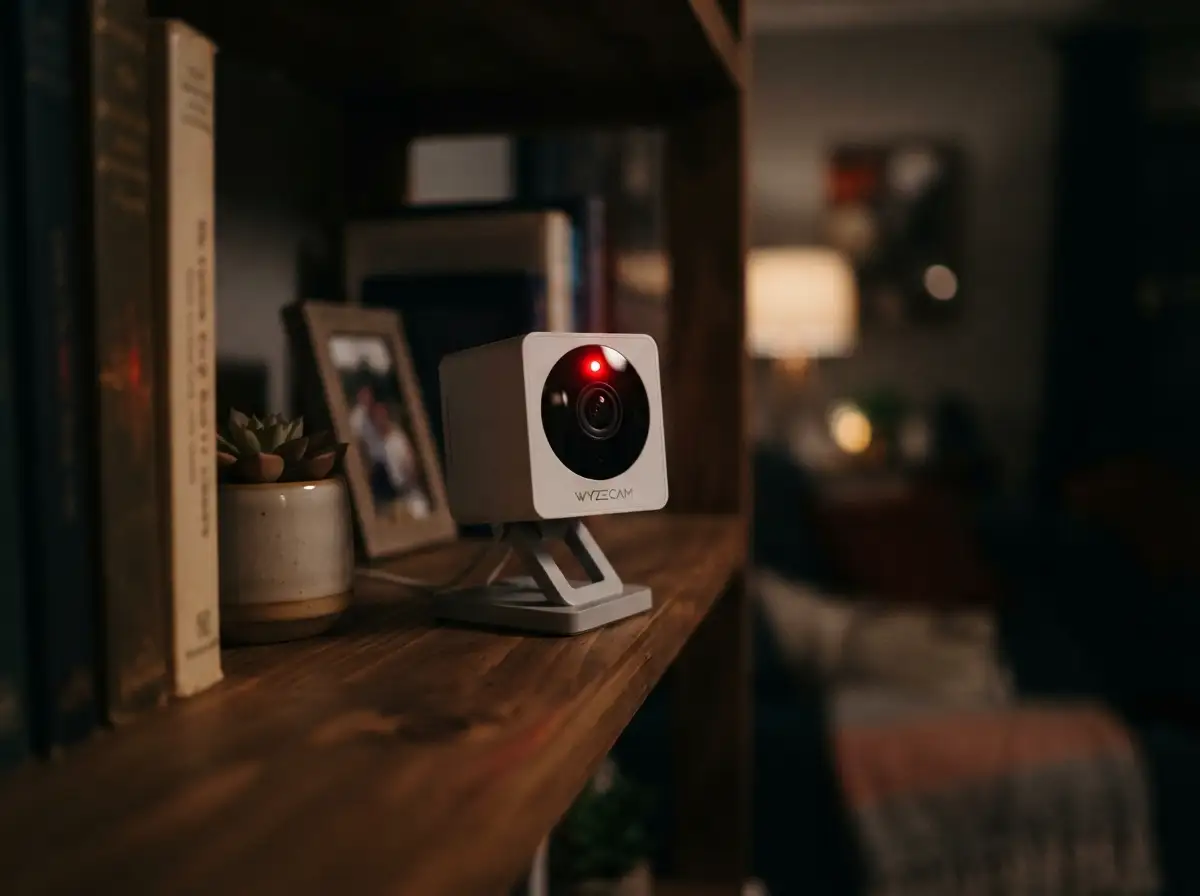
Families are losing sleep, constantly wondering if that tiny blinking red light means someone halfway across the world is recording their private conversations. The mental exhaustion of trying to understand complex network settings just adds to this daily anxiety.
We brought these shiny gadgets inside our homes to protect us from physical intruders. Yet, without realizing it, we accidentally invited invisible digital intruders straight into our living rooms and bedrooms.
Taking Back Control: Your Actionable Defense Plan
The thought of someone invading your private home network is definitely scary, but you are not powerless. You just need to understand exactly how these devices communicate with the outside world. Once you see the gaps in your digital walls, patching them becomes surprisingly simple.
Let us walk through the absolute best ways to lock down your network and kick out any unwanted guests. These steps are highly practical, entirely logical, and completely doable even if you consider yourself terrible with technology.
Securing the Digital Front Door
When you take a brand new security camera out of its box, it usually comes with a default username and password. Manufacturers print these simple login details directly in the user manual so you can set things up quickly.
The major problem is that hackers also read these exact same manuals. There are entire websites dedicated to listing the default passwords of almost every smart gadget ever made. If you leave these basic settings unchanged, you are essentially leaving your front door wide open with a giant welcome sign.
You must immediately change both the username and the password before you even place the device on your shelf. Use a combination of uppercase letters, numbers, and symbols to create a lock that nobody can easily guess.
Building an Invisible Safety Wall (Two-Factor Authentication)
Sometimes, despite our absolute best efforts, a password might get leaked or guessed by a clever automated program. This is exactly where Two-Factor Authentication (2FA) steps in to save the day completely.
Think of 2FA as a tough security guard who double-checks everyone's ID, even if they have the right key. When someone tries to log into your account, the app will text a special, temporary code directly to your personal phone.
Without that exact six-digit code, the hacker cannot access your video feed, no matter how hard they try. Almost all reputable brands offer this feature in their mobile app settings menu.
Watch this quick guide to understand exactly how to secure your home network like a pro:
The Guest Network Strategy: Keeping Gadgets Isolated
Your home Wi-Fi router is basically the central brain of your entire digital life. Your personal phones, your work laptops, and your security gadgets all share this exact same connection.
If a bad actor manages to hack into a cheap smart device, they can potentially jump over to your private computer. This means they could access your personal emails, your family photos, and even your saved bank details.
To stop this from happening, you should create a separate "Guest Network" specifically for all your smart home tools. Most modern internet routers allow you to create this secondary Wi-Fi connection with just a few clicks in the settings.
By keeping your gadgets on their own isolated network, you build a massive invisible wall between them and your personal files. If the security camera ever gets compromised, the damage stops right there, keeping your sensitive data completely safe.
I actually learned this specific lesson the hard way a few years ago. I connected a super cheap smart bulb directly to my main Wi-Fi, and my entire home network started acting crazy within days. Once I finally moved all my smart gadgets to an isolated guest connection, my main internet speed returned to normal, and my peace of mind skyrocketed.
The Cloud Storage Dilemma vs Local Backups
When your security device records a motion event, it has to save that video clip somewhere so you can watch it later. Many popular brands push you to use their paid cloud subscriptions, sending your private videos to giant internet servers.
While cloud storage is incredibly convenient, it means your personal family moments are resting on someone else's computer. If that specific company suffers a massive data breach, your personal recordings could easily be exposed to the public.
Instead of relying entirely on the cloud, consider buying devices that support local MicroSD card storage. By saving your video clips directly onto a physical memory card inside the device, you cut off the internet middleman entirely.
The only way someone can view your recorded history is if they physically walk into your house and steal the memory card. This method gives you ultimate ownership over your private data and often saves you money on monthly subscription fees.
Strategic Camera Placement Strategies
Even with the strongest internet security in place, physical placement remains a massive factor in protecting your daily privacy. You should never, under any circumstances, place internet-connected recording devices inside highly sensitive areas like bedrooms or bathrooms.
Think about the worst-case scenario: if the system somehow fails or gets hacked, what exactly would the intruder see? You want to make sure they only see public, low-risk areas of your property.
Focus on aiming your lenses at natural entry points, like the front door, the back patio, or the main living room hallway. Angle the lenses carefully so they capture the faces of people walking in, but avoid pointing them directly at your favorite resting spots.
You can also buy physical privacy shields or small plastic covers that slide directly over the glass lens. When you are walking around the house during the weekend, simply slide the cover shut to physically blind the device.
Updating the Brain of Your Device (Firmware)
Just like your smartphone needs regular software updates to fix annoying bugs, your smart gadgets need regular firmware updates to stay safe. Manufacturers are constantly fighting against new hacking methods, and they release these updates to patch known security holes.
If you ignore that little update notification popping up on your phone screen, you are willingly running outdated, vulnerable software. Hackers actively search the internet for older devices running outdated code because they already know exactly how to break in.
Go into your mobile application settings and look for a button that says "Auto-Update" or "Firmware Management." Turn this feature on so your system can silently upgrade itself in the middle of the night without bothering you.
Decoding App Permissions and Data Tracking
When you install a brand new control app on your phone, it usually asks for permission to access several different features. It makes perfect sense for a camera application to ask for access to your microphone or your photo gallery to save clips.
However, you really need to pay close attention if a basic security app asks for access to your personal contacts or your precise GPS location. There is absolutely no logical reason why a stationary indoor monitor needs to track exactly where you drive your car every afternoon.
Take five minutes today to open your phone's main settings menu and review exactly what permissions your smart apps currently hold. Turn off anything that feels unnecessary, because less data sharing always equals better personal protection for you and your loved ones.
The Danger of Cheap, Unbranded Alternatives
We all love finding a great deal online, especially when building a smart ecosystem can get pretty expensive. You might easily find a no-name brand online offering a highly advanced pan-and-tilt monitor for just fifteen dollars.
While the low price tag looks incredibly tempting, these unbranded electronics often cut corners by completely ignoring basic digital safety standards. They rarely offer software updates, their data servers are often located in foreign countries with weak laws, and their apps are notoriously buggy.
Investing in well-known, reputable brands might cost you a little bit more money upfront, but you are directly paying for better software engineering. Established companies have dedicated security teams working around the clock to protect their massive reputation.
If an established brand experiences a flaw, they fix it immediately because their business depends on your trust. A random pop-up company will simply disappear overnight, leaving you completely unprotected and highly vulnerable.
Identifying Unusual and Suspicious Behavior
Sometimes, the best defense is simply paying close attention to how your electronics normally behave on a daily basis. Most indoor lenses feature a small LED indicator light that turns solid red or blue whenever someone is actively viewing the live feed.
If you are sitting on the couch and you suddenly notice that tiny light turn on, but nobody in your family has the app open, you might have a serious problem. Similarly, if a motorized lens physically rotates to look at you without your command, unplug it from the wall socket immediately.
Check your user dashboard for any strange login locations or unrecognized mobile devices connected to your main account. Trust your gut instincts; if the system feels unusually sluggish or behaves oddly, do a complete factory reset and change every single password.
The Power of Scheduled Recording Times
You do not necessarily need your indoor systems recording every single second of your daily routine. Many high-quality applications allow you to set very specific recording schedules based on your normal work hours.
You can easily tell the system to completely shut down its recording capabilities when you arrive home from the office at five in the evening. It can then automatically wake back up and arm itself right after you leave the house the next morning.
This simple scheduling trick ensures that your most relaxed, private family moments are never captured on video in the first place. You get the incredible benefit of burglary protection while you are away, without feeling heavily surveilled while you are trying to eat dinner.
Taking control of your basic device settings is an excellent first step, but the most secure homes go much further. Hackers use incredibly advanced automated tools that scan the internet day and night for weak networks. To truly protect your private spaces, you need to think like a professional network engineer.
Let us explore some highly effective, advanced strategies that will make your personal network practically bulletproof. These tricks might sound slightly technical at first, but they are actually very easy to implement once you understand the basic logic behind them.
Setting Up a VIP Guest List (MAC Filtering)
Every single electronic device you buy has a unique physical identification code permanently stamped into its hardware. This permanent identifier is known as a Media Access Control (MAC) address. You can think of this address like a highly specific digital fingerprint that cannot be easily changed by normal means.
You can log directly into your home internet router and turn on a feature called MAC Address Filtering. Once this setting is active, your router acts like a strict security bouncer standing outside an exclusive nightclub. You manually enter the specific MAC addresses of your phones, computers, and smart gadgets into the router's settings menu.
If an unauthorized person tries to connect to your Wi-Fi, the router immediately blocks them because their digital fingerprint is not on the approved guest list. The cybersecurity specialists at the National Security Agency (NSA) strongly recommend protecting home networks by aggressively filtering which devices are allowed to connect. Even if someone manages to steal your main Wi-Fi password, they will still be completely locked out by this invisible bouncer.
Killing the UPnP Vulnerability
Most modern internet routers ship from the factory with a feature called Universal Plug and Play (UPnP) turned on automatically. This specific feature is designed to help different smart gadgets find each other on your network without requiring manual setup. It makes plugging in a new gaming console or a wireless printer incredibly fast and frictionless.
However, leaving UPnP turned on is exactly like leaving all your ground-floor windows unlocked just in case a friend decides to drop by. Malicious software can easily exploit this open window to sneak past your router's main firewall completely undetected. Many tech experts agree that turning off UPnP is one of the smartest defensive moves you can make today.
Log into your router's main control panel, search for the advanced network settings, and physically disable the UPnP toggle switch. Your smart electronics will still function perfectly fine, but you will instantly close a massive digital loophole that cybercriminals love to exploit.
Managing The Hidden Financial Costs of Security
When you start upgrading your home security system, the overall costs can definitely add up much faster than you expect. Many high-end monitoring companies secretly lock you into expensive monthly contracts just to view your own recorded videos. You must always read the fine print carefully, just as you would closely analyze unexpected fees in financial agreements before signing a contract.
Investing in high-quality, reputable brands is completely worth the upfront cost because they provide long-term software support and better encryption. If you want to afford premium equipment without stressing out, it really helps to review a reliable guide to creating a realistic monthly budget for your household. Sometimes, planning your purchases a few months in advance allows you to buy the safest gear available without touching your emergency savings.
If your financial situation is currently tight, you might consider evaluating your broader expenses to free up extra cash. For example, learning exactly how debt consolidation can lower your monthly payments might give you the financial breathing room needed to purchase top-tier privacy tools. Never compromise your family's digital safety just to save a few dollars on poorly manufactured electronics.
Implementing Router-Level VPN Protection
You have probably heard about Virtual Private Networks (VPNs) for keeping your phone or laptop browsing history hidden from public coffee shop Wi-Fi. However, you can actually install a powerful VPN directly onto your main home internet router. Doing this wraps your entire house in a thick, unbreakable layer of data encryption.
When your security cameras transmit video data to your mobile phone while you are at work, that data must travel across the public internet. A router-level VPN scrambles all of this outgoing video data into complete gibberish. If a hacker intercepts the data stream along the way, they will only see random, unreadable characters instead of your living room.
Not all basic routers support this advanced feature out of the box, so you might need to upgrade your main hardware first. The peace of mind you gain by masking your home's daily internet traffic is absolutely worth the small hardware investment.
The Art of the Monthly Digital Audit
Protecting your personal space is not a single task you check off a list and forget about forever. True digital safety requires a habit of consistent maintenance, much like changing the oil in your car. I highly recommend setting aside just fifteen minutes on the first Sunday of every month to perform a complete digital audit.
Open every single control app on your smartphone and actively review the activity logs and authorized user lists. Look closely for any strange IP addresses or unknown phone models that recently accessed your live video feeds. If you see anything remotely suspicious, press the button to instantly force-logout all active sessions and change your main password immediately.
While you are auditing the software, take a dry microfiber cloth and physically wipe down the glass lenses of your indoor monitors. A clean lens ensures that if a genuine emergency happens, your recorded footage will be perfectly clear and usable for police reports.
Dangerous Blunders That Leave Your Family Exposed
Even well-meaning people constantly make simple errors that completely destroy their expensive network defenses. Technology companies rarely warn consumers about these specific behavioral mistakes because they want their products to seem effortless to use. Unfortunately, assuming that technology will automatically protect you is a recipe for absolute disaster.
Let us break down the most severe mistakes everyday consumers make when setting up their connected living spaces. Avoiding these specific traps will instantly put you far ahead of the average gadget owner.
Recycling Old Passwords for New Accounts
This is without a doubt the most common and dangerous mistake people make with new internet accounts. You might think it is perfectly safe to use the same password you created for an old sports forum ten years ago. What you do not realize is that those older websites get hacked constantly, and their user databases are dumped freely onto the internet.
Hackers use automated software programs to try those old, leaked passwords across hundreds of popular mobile apps in a matter of seconds. According to the password guidelines published by the National Institute of Standards and Technology, reusing older credentials makes you incredibly vulnerable to these automated attacks. You must treat your smart home login exactly like you treat your online banking login.
Use a trusted password manager application to generate completely random, highly complex passwords for every single device you own. A password manager remembers the complicated strings of letters and numbers for you, so you never have to strain your memory.
Ignoring Small Software Warnings
When an application starts showing you tiny warning banners or asking for an updated email address, many people simply swipe them away. We get easily annoyed by these small interruptions because we are in a hurry to check on our pets or children. However, ignoring small security warnings is a massive behavioral mistake.
These notifications are usually the system's way of telling you that your current encryption method is outdated or your session has expired. Overlooking these seemingly minor alerts is just like ignoring quiet errors keeping your personal loan from getting approved; the small problem eventually creates a massive failure. Always take the extra thirty seconds to read the alert and follow the application's recommended safety steps.
Angling Lenses Toward the Neighbors
When placing outdoor surveillance tools on the front porch, many homeowners accidentally aim the lens directly into their neighbor's property. While you might just be trying to cover your entire driveway, recording someone else's private bedroom window can lead to severe legal trouble. Privacy laws regarding continuous video recording differ heavily depending on where you live.
Always test the exact field of view using your mobile app before you permanently drill any mounting screws into your walls. Ensure the frame only captures your personal grass, your driveway, and your specific entry doors. If a neighbor’s yard is slightly visible, use the application's built-in "privacy zone" feature to place a permanent black box over their property.
Trusting Artificial Intelligence Blindly
Modern surveillance gadgets use artificial intelligence to tell the difference between a falling tree branch and a human walking by. This advanced technology is great for reducing annoying false alarms on your phone throughout the workday. However, you should never blindly trust these automated systems to be completely perfect.
Cybercriminals are constantly finding highly creative ways to manipulate software systems from afar. It is entirely possible for a dedicated hacker to loop older video footage to hide their physical presence. When you consider how easily anyone can make incredible digital art using AI tools without drawing skills today, you realize that manipulating digital media is easier than ever. Always use your own eyes and physical security locks rather than relying solely on automated digital alerts.
The "Set It and Forget It" Trap
We lead incredibly busy lives, so it is tempting to just plug a new gadget into the wall and never look at the settings again. This "set it and forget it" mentality is exactly what cybercriminals heavily rely on. They know that most average consumers will never bother changing default settings or checking their monthly activity logs.
An unmonitored electronic device slowly becomes more vulnerable with every passing month as new hacking methods are discovered. You must treat your connected living space as an active, ongoing responsibility. Set calendar reminders on your phone to check for system updates and physically test the alarms on a regular basis.
Your Master Plan for a Truly Secure Living Space
You now possess the exact knowledge and advanced strategies required to protect your personal living space from unseen digital threats. The thought of invisible intruders accessing your most private moments is definitely alarming, but you are completely capable of stopping them. You do not need a computer science degree to build a safe, highly resilient home network.
By changing default passwords instantly, creating isolated guest networks, and turning off dangerous router settings, you build a massive fortress around your data. Take a deep breath, pull out your smartphone, and start adjusting your application settings one by one today. Every single small change you make acts as a heavy deadbolt on your digital front door.
I personally spent an entire Saturday afternoon going through my home network, turning off UPnP, and separating my gadgets onto a guest Wi-Fi. My anxiety about hidden watchers completely vanished after that day, and I finally felt like I owned my privacy again. Take action today, secure your network tonight, and enjoy the true peace of mind you and your family completely deserve.
Frequently Asked Questions About Device Safety
Can someone hack my camera if it is turned off?
If the device is completely unplugged from the wall socket, it is entirely impossible for anyone to access it. However, if you only turned it off using a software button inside the mobile app, a skilled hacker could potentially turn it back on remotely. If you want absolute, guaranteed privacy, you must physically unplug the power cord from the outlet.
How do I know if my smart camera has been compromised?
You should immediately look for unexplainable physical movements, like the lens panning across the room when you are not controlling it. You might also notice the red or blue indicator light turning on at completely random times of the day. Additionally, if you check your router's data logs and see massive spikes in uploaded data when you are asleep, someone might be secretly pulling your video feeds.
Is local SD card storage really safer than the cloud?
Yes, local storage is significantly more secure because your personal videos never actually leave your physical house. When you use cloud servers, your private moments are transmitted across the internet and stored on computers managed by a large corporation. Keeping videos strictly on a local SD card means an attacker would have to break into your house physically to view your recordings.
Should I cover the lens when I am at home?
Using a physical privacy cover is actually one of the smartest and cheapest defensive moves you can make. Many modern devices come with built-in privacy shutters that physically block the glass lens when you want quiet family time. If your device lacks this feature, throwing a small hand towel over the top works perfectly to guarantee visual privacy.
Do cheap unbranded security cameras steal data?
While not every cheap brand is malicious, many extremely cheap electronics cut corners by completely ignoring basic encryption standards. Some unbranded devices route your daily video traffic through highly unsecure servers located in foreign countries with terrible privacy laws. You should always invest in well-known, established brands that have clear privacy policies and dedicated security engineering teams.
Disclaimer: The information provided in this article is for educational and informational purposes only. It does not constitute professional cybersecurity advice, legal counsel, or technical support. Network configurations and hardware specifications vary greatly. Always consult with a certified IT professional or cybersecurity expert before making significant changes to your home network infrastructure.